
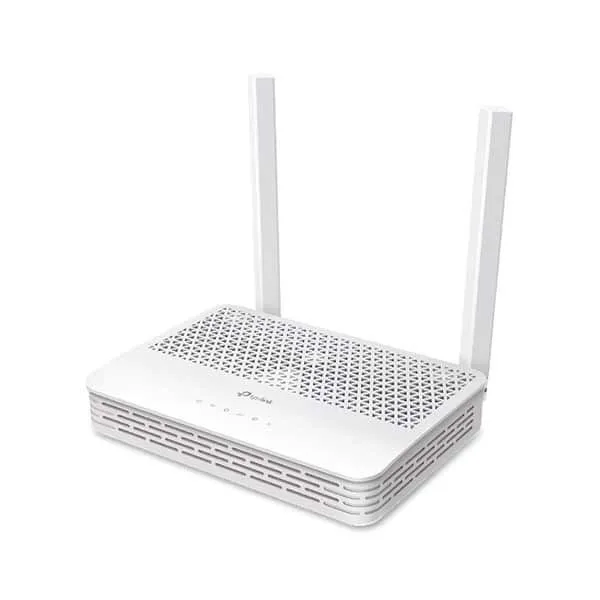
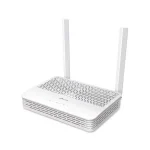
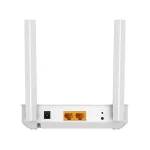

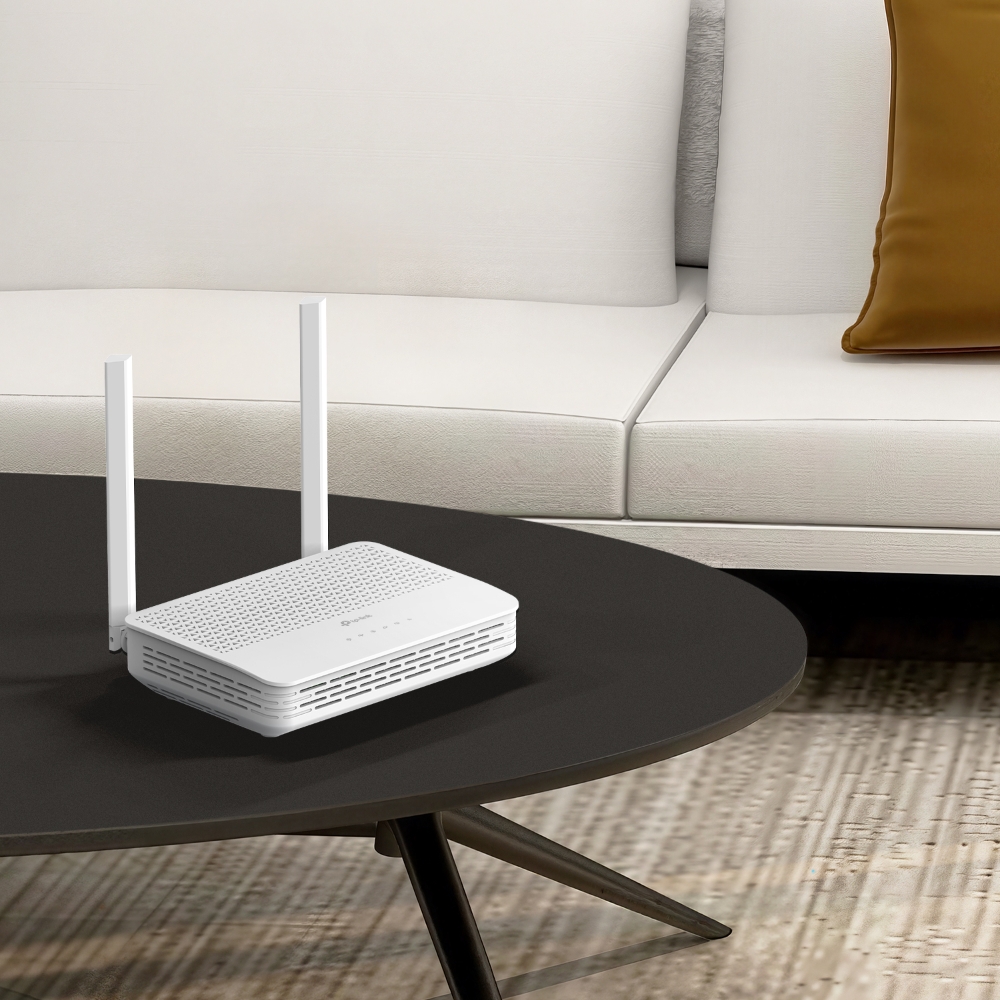
TP-Link XC220-G3 AC1200 1200Mbps Wireless XPON Router
৳ 3,550
 EMI এবং ADVANCE PAYMENT করার পূর্বে Whatsapp এ মেসেজ অথবা ফোন করে স্টক আপডেট জেনে নেয়ার জন্য বিনীতভাবে অনুরোধ করা হচ্ছে। ফেসবুক পেইজ লিংকঃ Gadget Studio BD ফোন নাম্বারঃ 01946004703
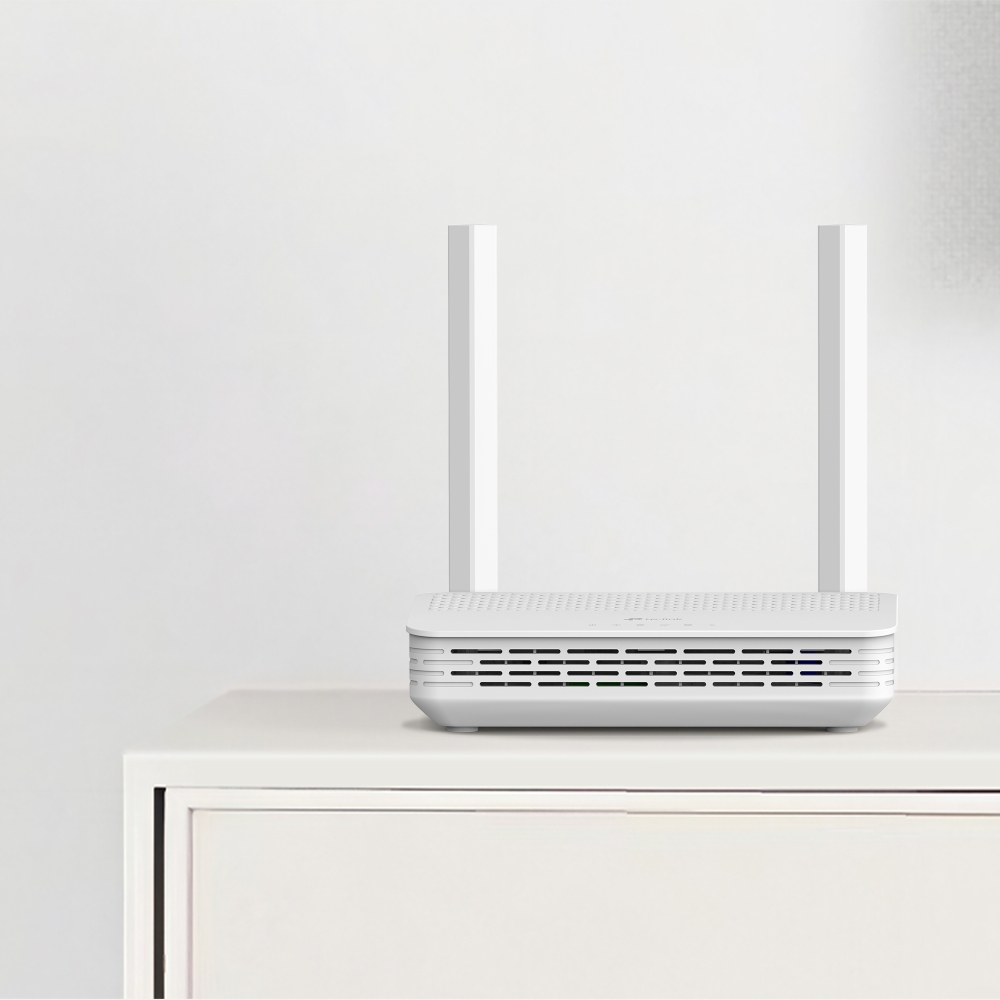
TP-Link XC220-G3 AC1200 1200Mbps Wireless XPON Router
TP-Link XC220-G3 AC1200 Specifications:
- Superfast Dual Band WiFi: Up to 1.2 Gbps WiFi speeds, 300 Mbps on 2.4GHz, 867 Mbps on 5GHz
- XPON Dual Modes: Supports GPON and EPON dual modes for flexible fiber internet access.
- EasyMesh Compatible: Provides whole home WiFi coverage with standard mesh technology.
- Smooth IPTV: TP-Link XC220-G3 supports IGMP Proxy/Snooping, Bridge and Tag VLAN to optimize IPTV streaming.
- Enhanced Security: TP-Link XC220-G3 protect your network with firewalls and the latest WPA3 encryption.
- Full Gigabit Ports: Up to 10× faster than standard Ethernet, deliver lightning-fast wired performance.
- Compatct Fiber Tray Design: Store a redundant fiber cable inside and protect the fiber cable from breaking.
- Easy Setup: Set up your network in minutes with the powerful Aginet app.
- Remote Management: OMCI (ONT Management and Control Interface) and TR-069 protocols are supported.
Maximum wireless signal rates are the physical rates derived from IEEE Standard 802.11 specifications. Actual wireless data throughput and wireless coverage are not guaranteed and will vary as a result of network conditions, client limitations, and environmental factors, including building materials, obstacles, volume and density of traffic, and client location.
**Use of WPA3 requires clients to also support the corresponding feature.
This product is compatible with standardized EasyMesh technology but has not obtained the Wi-Fi EasyMeshTM certification.
1000 Mbps internet speeds require compatible service plans and equipment.
Actual network speed may be limited by the rate of the product’s Ethernet WAN or LAN port, the rate supported by the network cable, internet service provider factors, and other environmental conditions.
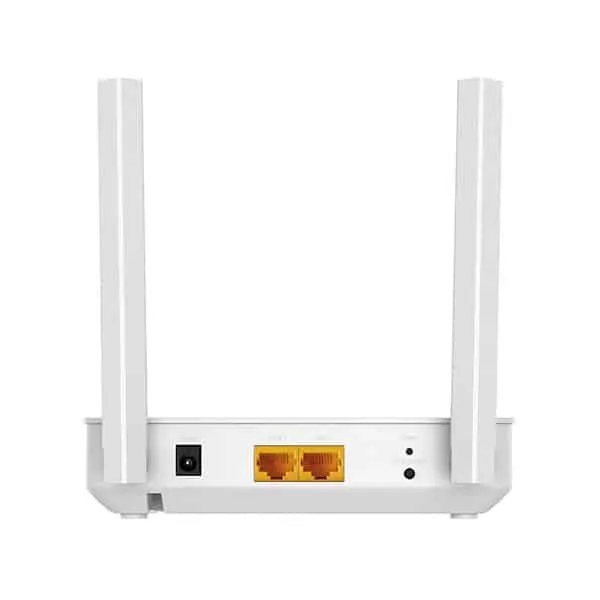
| Interface | 2 10/100/1000 Mbps RJ45 LAN Ports 1 PON Port |
|---|---|
| Button | WPS/Wi-Fi Button, RESET Button |
| External Power Supply | 12V/1.0A |
| Data Rates | Downstream Speeds: 2.488 Gbps (GPON), 1.25 Gbps (EPON) Upstream Speeds: 1.244 Gbps (GPON), 1.25 Gbps (EPON)§ |
| Antenna | 2 External Dual Band Antennas |
| Wireless Standards | IEEE 802.11ac/n/a 5 GHz, IEEE 802.11b/g/n 2.4 GHz |
|---|---|
| Frequency | 2.4 GHz and 5 GHz |
| Signal Rate | 867 Mbps on 5 GHz, 300 Mbps on 2.4 GHz |
| Wireless Functions | Enable/Disable Wireless Radio, WDS Bridge, WMM, Wireless Statistics |
| Wireless Security | WPA/WPA2/WPA3 encryptions |
| Transmission Power | 2.4 GHz: 26 dBm(EIRP), 5GHz: 28dBm (EIRP) |
| Wireless Schedule | Support 2.4 GHz and 5 GHz Wireless Schedule |
| Mesh Technology | EasyMesh Compatible, and support 802.11k/v/r |
| Quality of Service | Hardware QoS |
|---|---|
| Advanced Features | Parental Controls, Network Address Translation(NAT), Port Mapping(Grouping), Static Routing, DNS Relay, DDNS, IGMP V1/V2/V3 |
| Security | NAT Firewall, Access Control, MAC/IP/URL Filtering, IP and MAC Address Binding, Defense “Denial of Service (DoS), SYNFlooding, Ping of Death” |
| Management Features | Local management: WebGUI management, Aginet app management Remote management: Aginet ACS, OMCI, TR-069, TR-098, TR-181,TR-111,TR-143 Cloud management: TP-Link Aginet Unified Cloud (TAUC) |
| DHCP | Server, Client, DHCP Client List, Address Reservation, DHCP Relay |
| Port Forwarding | Virtual Server, Port Triggering, DMZ, ALG, UPnP |
| Dynamic DNS | DynDns, NO-IP |
| VPN Pass-Through | PPTP, L2TP, IPSec Pass-through |
| Protocols | IPv4, IPv6 |
| Package Content | AC1200 Wireless XPON Router XC220-G3 RJ45 Ethernet Cable Power Adapter Quick Installation Guide |
|---|---|
| System Requirements | Microsoft Windows 98SE/NT/2000/XP/Vista™/7/8/8.1/10, MAC OS, NetWare, UNIX or Linux Internet Explorer 11, Firefox 12.0, Chrome 20.0, Safari 4.0, or other Java-enabled browser Subscription with an internet service provider (for internet access) |
| Environment | Operating Temperature: 0℃–40℃ (32℉–104℉) Storage Temperature: -40℃–60℃ (-40℉–140℉) Operating Humidity: 10%–90% non-condensing Storage Humidity: 5%–90% non-condensing |
Related Products:
- TP-Link Deco M5 (1-pack) AC1300 Whole Home Mesh Wi-Fi System
- TP-Link Archer AX15 AX1500 Dual-Band Gigabit Wi-Fi 6 Router
- TP-Link Archer AX12 AX1500 Dual-Band Gigabit Wi-Fi 6 Router
TP-Link XC220-G3 AC1200 1200Mbps Wireless XPON Router
Experience lightning-fast fiber internet with seamless Wi-Fi coverage across your home using the TP-Link XC220-G3 AC1200 Wireless XPON Router – the ideal all-in-one solution for FTTH users in Bangladesh looking for reliable, high-speed connectivity without the hassle of separate modems.
This compact XPON ONT router combines dual-mode PON (GPON + EPON) for flexible fiber access with AC1200 dual-band Wi-Fi (300 Mbps on 2.4 GHz + 867 Mbps on 5 GHz), delivering up to 1.2 Gbps combined wireless speed. It supports up to 2.5 Gbps downstream via GPON, perfect for 4K streaming, online gaming, video conferencing, and smart home devices – all while handling 50+ connections effortlessly.
Key Features & Benefits
- Superfast Dual-Band Wi-Fi – AC1200 speeds (300 Mbps @2.4 GHz for everyday browsing + 867 Mbps @5 GHz for HD/4K streaming). MU-MIMO technology reduces latency and boosts efficiency for multiple devices.
- XPON Dual Modes – Compatible with GPON (up to 2.488 Gbps down/1.244 Gbps up) and EPON standards, works with any fiber ISP like BTCL, Summit, AmberIT, or Link3 in Bangladesh.
- Gigabit Wired Ports – 2 × 10/100/1000 Mbps LAN ports for ultra-fast connections to PCs, TVs, or NAS – up to 10x faster than standard Ethernet.
- EasyMesh Compatible – Expand coverage with other TP-Link EasyMesh devices for whole-home Wi-Fi without dead zones.
- Advanced Security & Controls – WPA2/WPA3 encryption, NAT firewall, parental controls, QoS for prioritizing traffic, VPN pass-through, and IGMP snooping for smooth IPTV.
- Easy Setup & Management – Quick web/app setup via TP-Link Tether app (iOS/Android). Supports OMCI/TR-069 for remote ISP management.
- External Antennas – 2 dual-band antennas for stronger, wider signal reach (covers up to 2,500 sq ft in open spaces).
- IPv6 Ready – Future-proof for next-gen internet protocols.
Perfect For
- FTTH fiber homes/apartments (1–3 bedrooms)
- Small offices or WFH setups needing stable wired/wireless
- Users upgrading from basic ONTs for better Wi-Fi performance
- Gamers and streamers requiring low-latency connections
Box Contains
- 1 × TP-Link XC220-G3 Router
- 1 × RJ45 Ethernet cable
- 1 × Power adapter (12V/1A)
- Quick installation guide
Technical Specifications
- Wi-Fi Standard: Wi-Fi 5 (802.11ac), backward compatible
- Speed: AC1200 (867 Mbps @5 GHz + 300 Mbps @2.4 GHz)
- PON: GPON/EPON dual-mode, ITU-T G.984/G.988 compliant
- Ports: 2 × Gigabit LAN, 1 × PON (SC/APC)
- Processor: Single-core CPU
- Antennas: 2 external dual-band
- Security: WPA/WPA2/WPA3, SPI firewall, DoS protection
- Dimensions: 129 × 100 × 29 mm (compact desktop/wall-mount design)
- Operating Temperature: 0°C–40°C; Humidity: 10%–90% non-condensing
Frequently Asked Questions (FAQs)
Q: Is the TP-Link XC220-G3 compatible with Bangladeshi fiber ISPs like BTCL or AmberIT? A: Yes! It supports both GPON and EPON modes, making it plug-and-play with most FTTH providers. Just connect the fiber cable to the PON port and configure via the app or web interface (192.168.1.1, default admin/admin).
Q: How many devices can it support? A: Easily handles 50+ devices simultaneously, thanks to MU-MIMO and QoS – ideal for households with smart TVs, phones, laptops, and IoT gadgets.
Q: Does it have VoIP support for phone calls? A: The XC220-G3 is the non-VoIP model (no FXS port). For VoIP, consider the XC220-G3v variant.
Q: Can I expand the Wi-Fi coverage? A: Absolutely! It’s EasyMesh compatible – pair with other TP-Link EasyMesh routers/extenders for seamless whole-home coverage.
Q: What’s the default login and password? A: Access via http://192.168.1.1 or tplinkwifi.net. Default username/password is admin/admin. Change it immediately for security.
Q: Does it support IPv6 and IPTV? A: Yes, full IPv6 support and VLAN/802.1Q tagging for IPTV services from your ISP.
Upgrade to fiber-fast Wi-Fi today! Order the TP-Link XC220-G3 AC1200 Wireless XPON Router now from Gadget Studio BD and enjoy blazing speeds with zero dead zones.
🔥 Best price in Bangladesh | Official product | Nationwide delivery
| Brand |
|---|
Only logged in customers who have purchased this product may leave a review.















































































































































Reviews
There are no reviews yet