
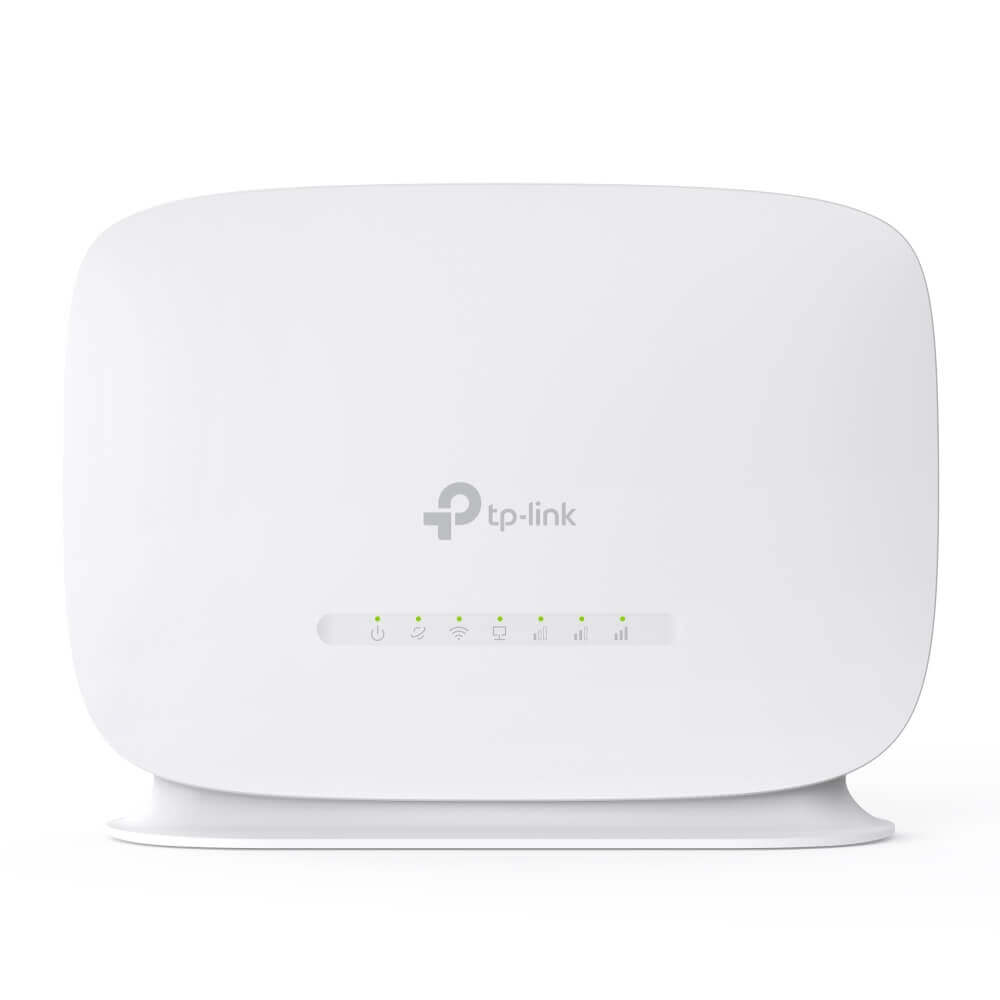

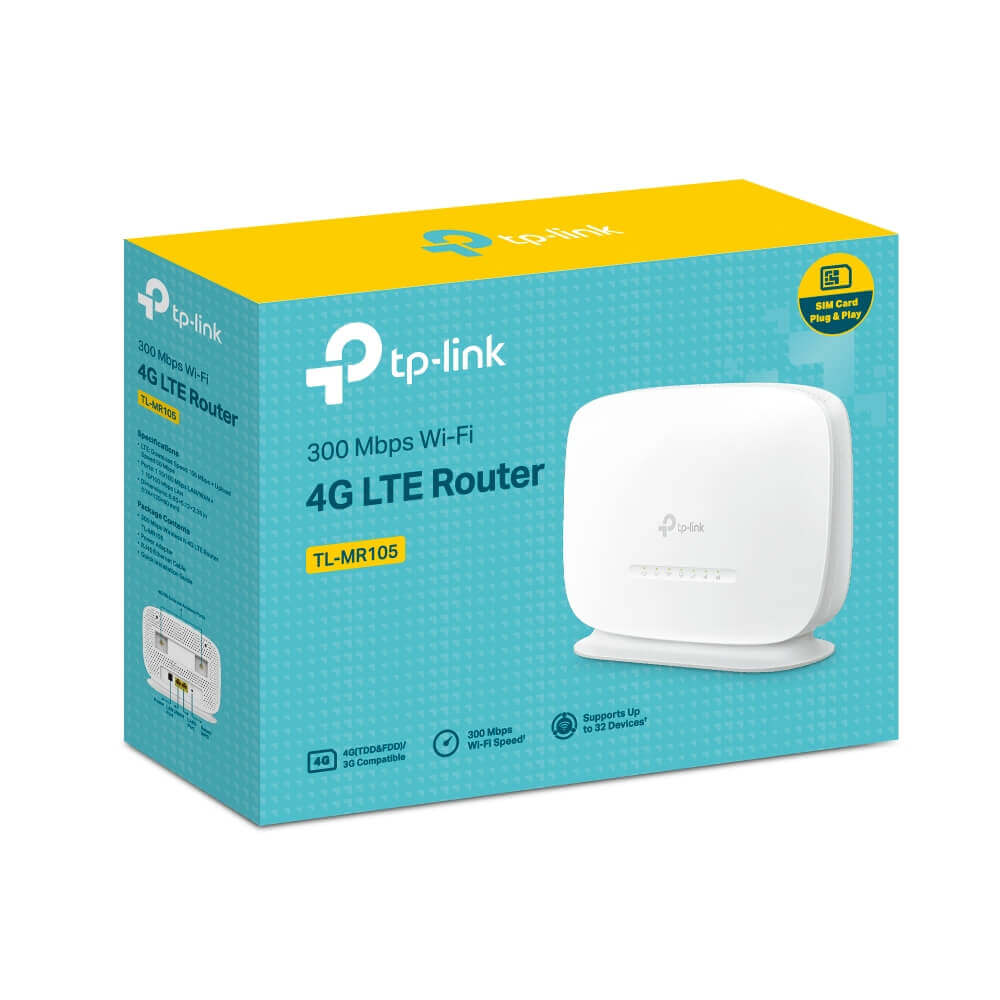
TP-Link TL-MR105 300Mbps Wireless N 4G LTE Router
৳ 3,950
 EMI এবং ADVANCE PAYMENT করার পূর্বে Whatsapp এ মেসেজ অথবা ফোন করে স্টক আপডেট জেনে নেয়ার জন্য বিনীতভাবে অনুরোধ করা হচ্ছে। ফেসবুক পেইজ লিংকঃ Gadget Studio BD ফোন নাম্বারঃ 01946004703

TP-Link TL-MR105 300Mbps Wireless N 4G LTE Router
TP-Link TL-MR105 Features:
- Cutting-edge 4G network – Share internet access with up to 32 Wi-Fi devices and enjoy download speeds of up to 150 Mbps
- Plug a SIM card and play – No configurations needed, compatibility of SIM cards in 100+ countries are assured by years of field tests
- Wi-Fi router mode – Plug an Ethernet cable into the LAN/WAN port for flexible access if you can’t get a 4G connection

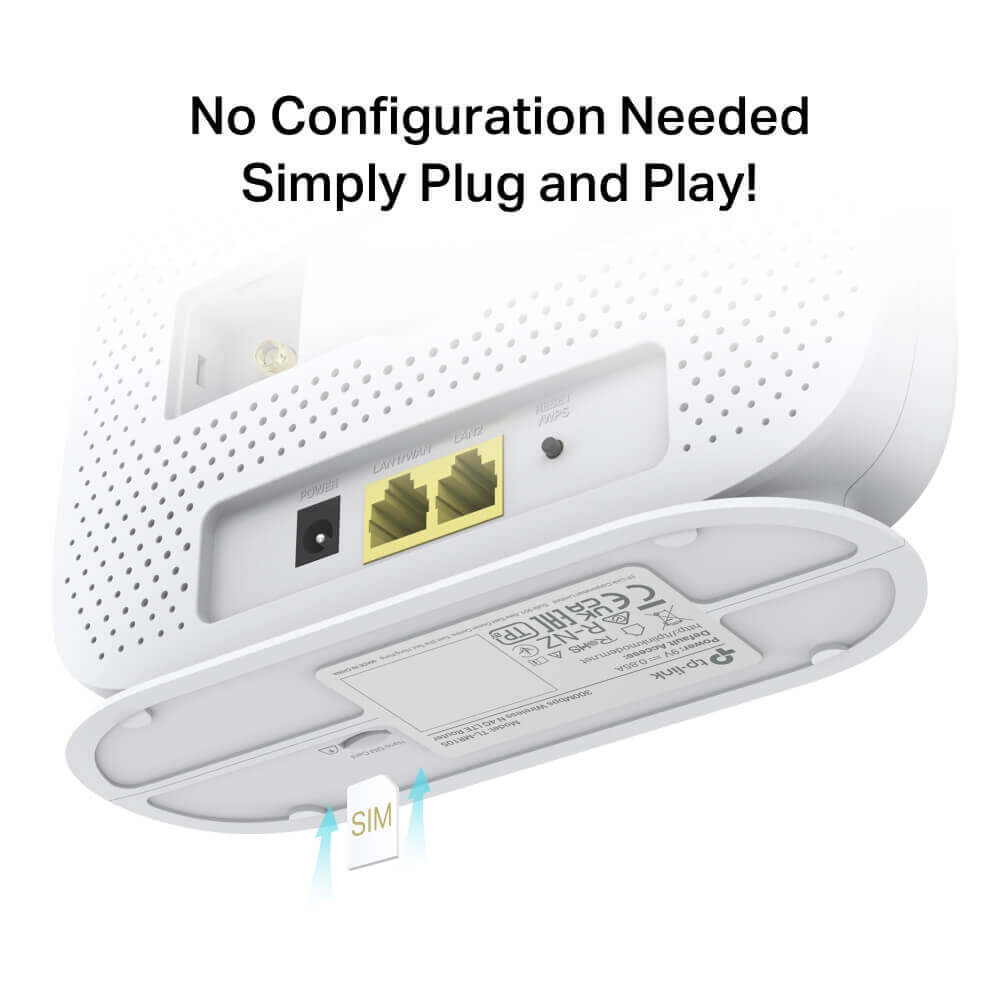
No Configuration Needed Simply Plug and Play!
With an integrated 4G LTE modem and a built-in SIM card slot, all you need to do is inserting a nano SIM card and turning on the router. It has never been easier than enjoy a fast, stable Wi-Fi on 4G LTE network.
Advanced Software Functions Help You Enhance Your Network Safety and Effectiveness
-
 Robust Parental ControlsIf you want to block harmful websites, set surfing time limits, check which sites your kids are using or just pause the internet, you can do it all.
 -
 Guest NetworkIt provides separate Wi-Fi access for guests while securing the whole network.
Wi-Fi Where You Need It
Enjoy unconstrained convenience and versatility. TP-Link TL-MR105 has been tested in the field for years to ensure universal compatibility with 2 internal LTE antennas to deliver a smooth connection. Simply plug in a nano SIM card and power on this elegant piece of device to utilize fast and stable Wi-Fi, whether you’re at home or working remotely.
-
 Conference Room
 -
 Remote Area
 -
 Temporary Store
 -
 Private Villa
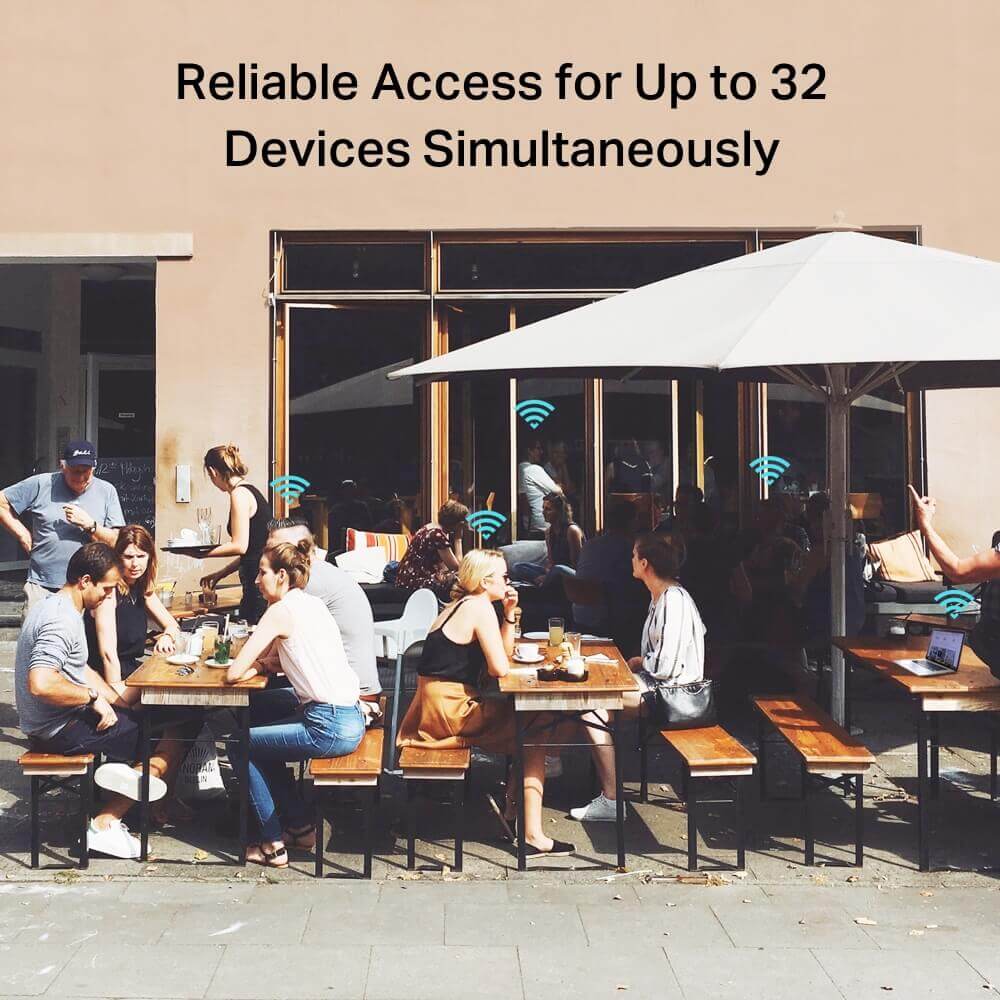
Reliable Access for Up to 32 Devices Simultaneously
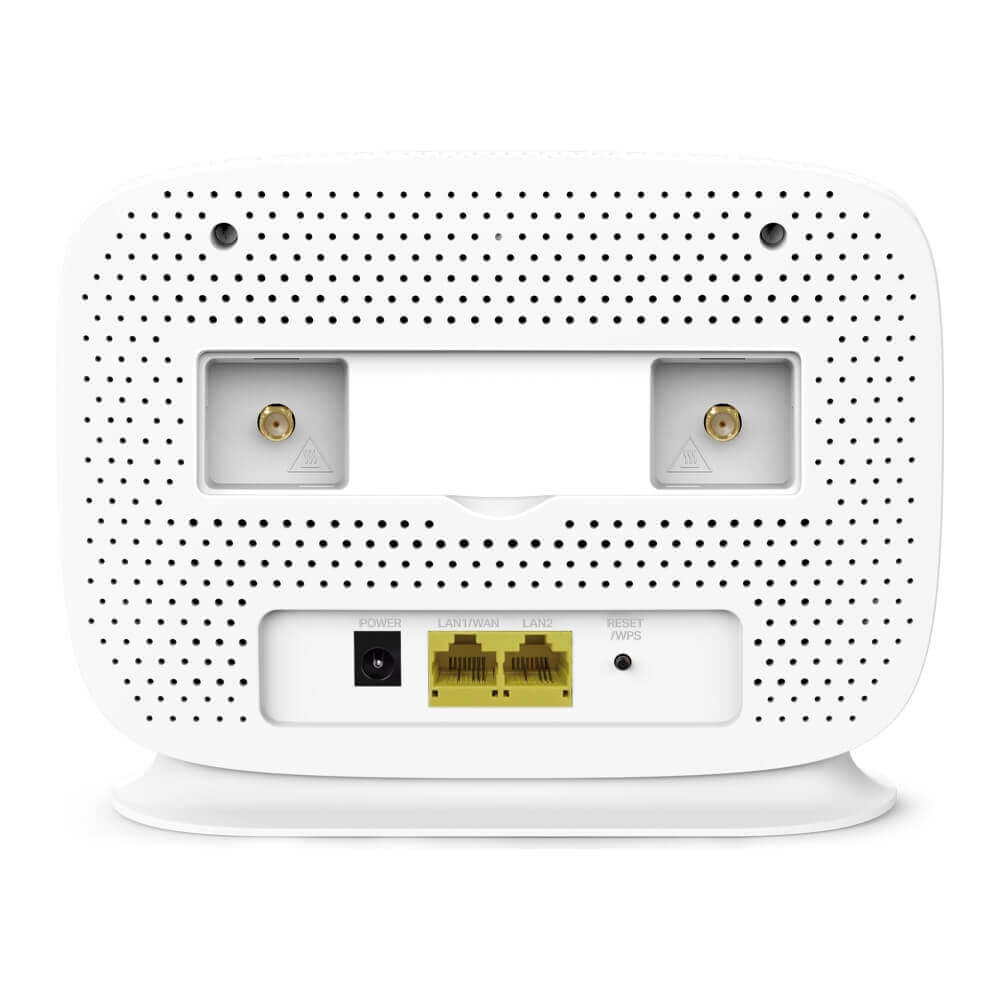
Easily share a 3G/4G connection with up to 32 wireless devices, such as phones, tablets, and laptops, at the same time. 2 LAN ports stand ready to provide internet for wired devices like desktop computers.
Related Products:
- TP-Link Deco X10 AX1500 Whole Home Mesh Wi-Fi 6 System (3-pack)
- TP-Link TL-ER6120 Gigabit Multi-WAN VPN Router
- TP-Link TL-MR150 300Mbps Wireless N 4G LTE Router
TP-Link TL-MR105 300Mbps Wireless N 4G LTE Router
Portable 4G LTE Connectivity – Instant Wi-Fi Hotspot for On-the-Go Access
The TP-Link TL-MR105 300Mbps Wireless N 4G LTE Router is your compact solution for reliable mobile internet, transforming any compatible SIM into a secure hotspot for up to 32 devices. Whether you’re dealing with broadband outages in urban Dhaka apartments, traveling between Chittagong and Sylhet, or setting up in remote areas, this unlocked router delivers download speeds up to 150 Mbps for smooth HD streaming, web browsing, and video calls. Simply insert a Nano SIM from Grameenphone, Robi, Banglalink, or Airtel, power on, and connect – no complex setup required. It supports key Bangladeshi 4G bands with fallback to 3G/2G for nationwide coverage, and the LAN/WAN port allows hybrid use with DSL/fiber for automatic failover.
TP-Link TL-MR105 Key Features:
- TP-Link TL-MR105 4G LTE Cat 4 Performance: Up to 150 Mbps downloads and 50 Mbps uploads for efficient online activities
- 300 Mbps Wireless N Wi-Fi: 2.4 GHz single-band coverage for up to 32 devices, with MIMO for stable signals over 1,500 sq ft
- Universal SIM Compatibility: Works with Nano SIMs from major carriers; plug-and-play with no configuration needed in most cases
- Flexible Connectivity: 1 × 10/100 Mbps LAN/WAN port + 1 × 10/100 Mbps LAN port for wired backups or expansions; automatic 4G failover
- Detachable Antennas: Two external LTE antennas for enhanced signal in weak areas
- Smart Management: TP-Link Tether app (iOS/Android) for easy setup, parental controls, guest networks, and data monitoring
- Security Basics: WPA/WPA2 encryption and SPI firewall to protect your network
- Portable Design: Compact and lightweight for travel; supports WPS for quick device pairing
- Backward Compatibility: Works with 3G (DC-HSPA+/UMTS) and 2G (EDGE/GPRS/GSM) networks
TP-Link TL-MR105 Technical Specifications:
- Network Type: 4G LTE Cat 4 (FDD-LTE: 800/900/1800/2100/2600 MHz; TDD-LTE: 1900/2300/2500/2600 MHz); 3G DC-HSPA+/HSPA+/UMTS (900/2100 MHz); 2G EDGE/GPRS/GSM (850/900/1800/1900 MHz)
- Wi-Fi Standards: IEEE 802.11n/b/g (2.4 GHz) – Wireless N
- Wi-Fi Speeds: Up to 300 Mbps (2.4 GHz)
- Ports: 1 × 10/100 Mbps LAN/WAN, 1 × 10/100 Mbps LAN, 1 × Micro SIM Slot
- Antennas: 2 × Detachable External LTE Antennas
- Processor: Qualcomm-based single-core CPU
- Security: WPA/WPA2-PSK, WPS
- Dimensions: 202 × 141 × 33.5 mm
- Power Supply: 12V/1A (universal 100-240V adapter included)
Frequently Asked Questions (FAQs)
1. Is the TP-Link TL-MR105 unlocked for Bangladeshi SIMs? Yes, it’s fully unlocked and compatible with Nano SIMs from Grameenphone, Robi, Banglalink, and Airtel – simply insert and auto-configure.
2. What are the maximum 4G speeds? Up to 150 Mbps downloads and 50 Mbps uploads on LTE Cat 4 networks, varying by carrier coverage; falls back to 42 Mbps on 3G.
3. How many devices can it support? Up to 32 wireless devices at once, suitable for small groups or families.
4. Does it require any setup? Minimal – insert the SIM, power on, and connect via the Tether app for guided configuration in minutes.
5. Can it integrate with wired internet? Yes, the LAN/WAN port connects to a modem for automatic 4G failover during outages.
6. Which LTE bands does it support in Bangladesh? It covers key local bands like FDD-LTE (Band 1/3/5/7/8) and TDD-LTE (Band 40), ensuring broad compatibility.
7. How do I improve signal in low-coverage areas? Use the detachable antennas or upgrade to higher-gain ones; position near a window for best reception.
8. Does it have parental controls? Yes, the Tether app offers access limits, time schedules, and guest networks for family management.
9. Is the app essential? No, but recommended for mobile control; the web interface provides full access without it.
10. What’s included in the box?
- TP-Link TL-MR105 Router
- 2 × Detachable LTE Antennas
- Power Adapter
- RJ45 Ethernet Cable
- Quick Installation Guide
Stay connected effortlessly with the TP-Link TL-MR105 – your portable gateway to mobile Wi-Fi!
Only logged in customers who have purchased this product may leave a review.














































































































































Reviews
There are no reviews yet